Oldest-first order
Enter a channel URL and every upload is listed by publication date. Flip to newest-first whenever you want.
iOS 17+ · 35 languages
Channel Timeline Viewer sorts a channel’s uploads by publication date — oldest first — and keeps track of how far you got. Ideal for archives, lecture series, and long-running shows.
Free for one channel, with ads. No subscriptions — Pro is a one-time purchase with no ads.
The Android version is also available on Google Play.
Everything you do here is stored in this browser only. It is not sent anywhere, it is not shared with the app on your phone, and clearing your browser data removes it.
A channel URL (youtube.com/@handle or /channel/UC…), a bare @handle, or the URL of any video from the channel.
The free web trial saves one channel. To keep the watched history, progress, and notes of several channels, use Pro in the app.
You’ve watched everything 🎉
Choose a video from the list to start.
Moved on to the next video
Playback finished. Up next:
Videos marked as skip are passed over during autoplay.
Saved automatically as you type, in this browser only.
Catching up on a channel with hundreds of uploads means scrolling to the bottom, remembering which video you stopped at, and finding it again tomorrow. Channel Timeline Viewer turns that into a list you can simply work down.
The web trial saves one channel and holds nothing back inside it: oldest- or newest-first order, watched tracking, progress, notes, resume, and playback in YouTube’s official embedded player.
The free web trial saves one channel. To keep the watched history, progress, and notes of several channels, use Pro in the app.
The same screens we submitted to the App Store, captured on an iPhone.
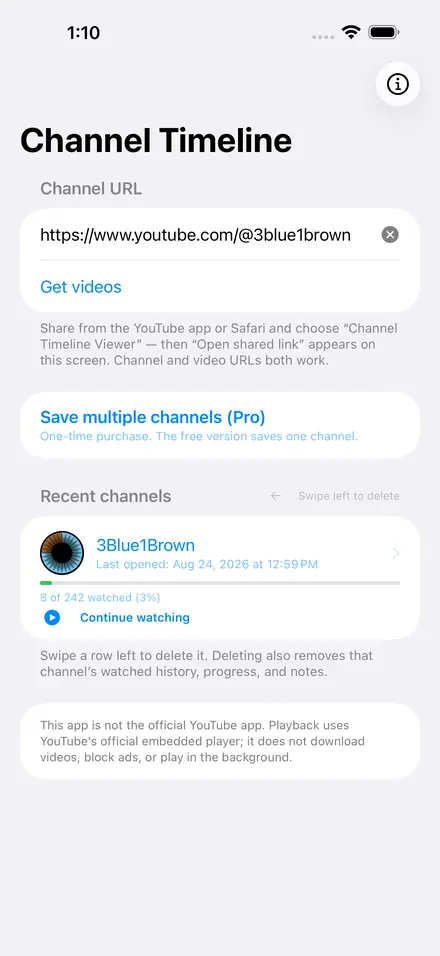
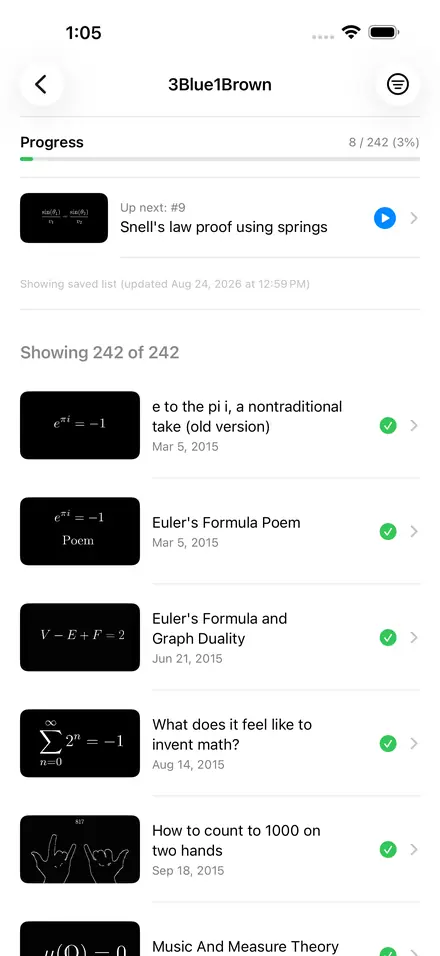
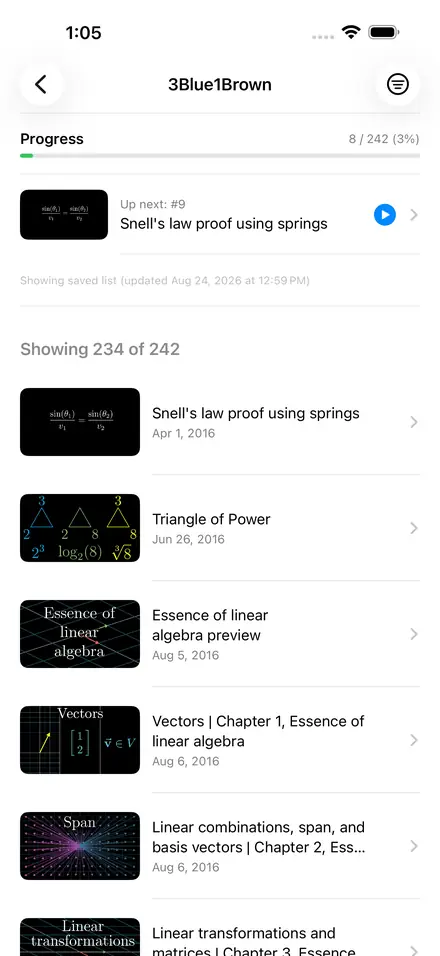
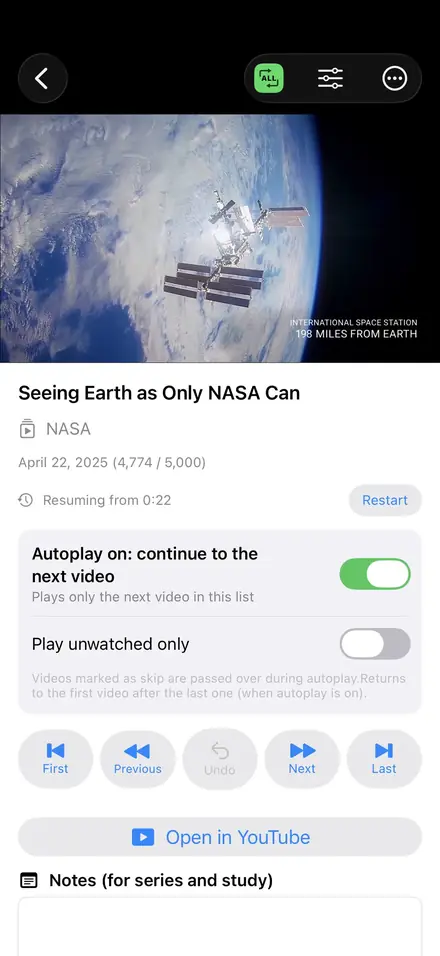
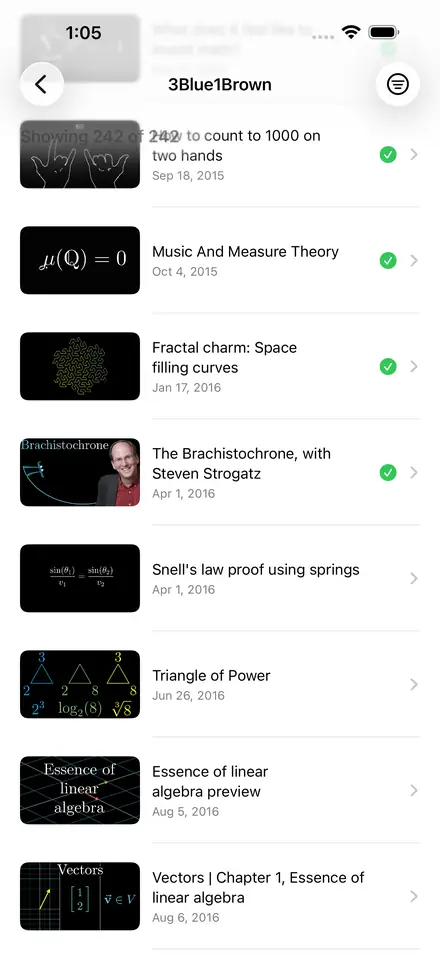
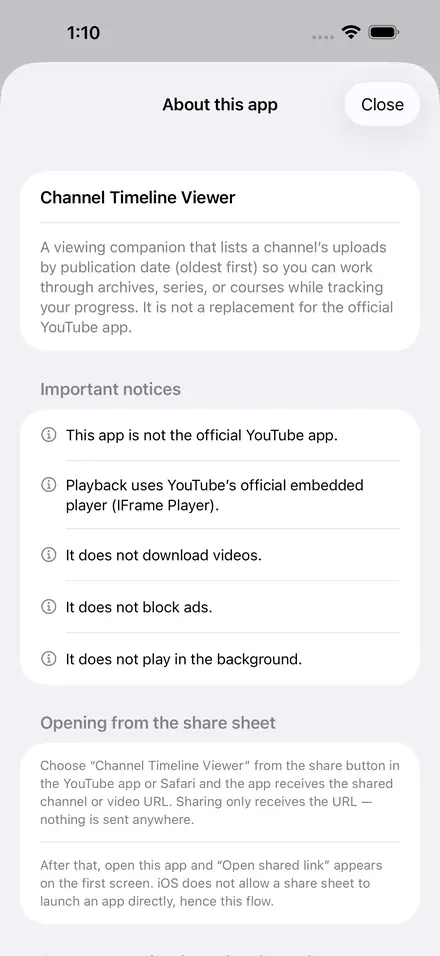
Enter a channel URL and every upload is listed by publication date. Flip to newest-first whenever you want.
Watched count, percentage, and a progress bar for each channel — like a course you are working through.
Stop in the middle of a video and it picks up from the exact second next time.
Mark videos watched or skipped, filter the list, and play only what you have not seen yet.
Repeat one video or the whole list. Autoplay to the next video is on by default and can be turned off at any time.
When a video ends you are never handed off to related videos or to another channel. The only thing that can come next is the next video of the channel you opened.
Share a channel or a video from the YouTube app or Safari and open its timeline straight away.
Keep a short note on each video — useful for lectures, tutorials, and long series.
Channels you have opened before appear immediately from a saved list, then check for new uploads in the background.
Type it in, or use the share sheet in the YouTube app or Safari.
The uploads appear oldest-first. Tap “Up next” to jump back in at any time.
Watched marks, progress, and playback positions stay on your device.
The app itself is free. Pro is a one-time purchase — not a subscription — and the only thing it unlocks is how many channels you can keep at once.
Save one channel. Inside it nothing is held back: oldest- or newest-first order, watched tracking, resume, jump buttons, notes, progress, and playback in the official player.
$4.99one-time purchase
The current store price for your region. Prices differ by country and are set in the App Store and Google Play, so what you see there is what you pay.
Save several channels and keep the watched history, progress, and notes of each one, so you never have to replace a channel to make room for another.
Not a subscription, and Pro has no ads. The price is the one shown in the App Store or Google Play at the time you buy; what you have already bought stays yours.
No. It is an independent viewing companion that uses YouTube’s official API and official embedded player. It is not endorsed by or affiliated with YouTube or Google.
No. There is no download or offline saving of any kind, and no ad blocking.
No. Playback stops when you leave the app. While a video is playing the screen simply stays awake so it does not dim on you.
No account or sign-in. The app only reads public channel and video information through the YouTube Data API v3.
On your device only. Watch history, progress, notes, and playback positions never leave the phone, and they are deleted with the app.
The free version shows ads (never over the video player). There are no subscriptions. The app is free and saves one channel, and inside that channel nothing is limited. Pro is an optional one-time purchase that removes the ads and lets you keep several channels, each with its own progress. Nothing is charged again afterwards.
Yes. It is available on Google Play, and the iPhone version is on the App Store. Both work the same way, and what you have watched is kept on each device separately.